

When you download BlackPlayer Music Player, you unlock a fast, highly customizable offline MP3 app for Android users who want full control over their local audio library. Instead of relying on streaming algorithms, this app offers a distraction-free experience tailored for audiophiles, featuring a minimalist Material Design, gapless playback, and a powerful 5-band equalizer.
In this guide, we break down its core features, explain the differences between the Free and EX versions, and provide safe steps to install the latest Play Store release or official APK for your FLAC, WAV, and MP3 collections
Download the free or Pro version from Google Play.
Download Standard (Free)Get BlackPlayer EX (Pro)
Table of Contents
- 1 What is BlackPlayer Music Player? (Overview & Specs)
- 2 How to Download BlackPlayer Music Player Safely
- 2.1 1. Download via Google Play Store (Recommended)
- 2.2 2. Download BlackPlayer APK (For Older Devices or Alternative Stores)
- 2.3 More articles about BlackPlayer you may find useful
- 2.4 BlackPlayer Failed to Load Track Error in 2026 | How to Fix?
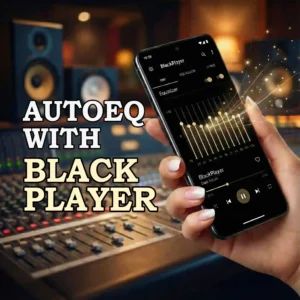
- 2.5 How to Use AutoEQ with BlackPlayer on Android (2026 Guide)
- 2.6 How to Show Lyrics in BlackPlayer Complete Guide 2026
- 3 Key Features of BlackPlayer: Why It Stands Out
- 4 BlackPlayer Standard vs. BlackPlayer EX: Is the Upgrade Worth It?
- 5 Safety, Permissions & Privacy : Is BlackPlayer Safe?
- 6 Final Verdict: The Ultimate Offline Player in 2026?
- 7 Frequently Asked Questions (FAQ)
What is BlackPlayer Music Player? (Overview & Specs)
At its core, BlackPlayer is a local media player designed exclusively for Android. It does not stream music from the internet; instead, it scans your device’s internal storage or SD card for downloaded audio files and organizes them into a sleek, navigable library.
What sets BlackPlayer apart from stock Android players is its high level of customization. Users can tweak everything from the fonts and themes to the transition animations and tab layouts. It is built for efficiency, meaning it uses minimal battery and RAM, making it perfect for both budget phones and high-end devices. To help you understand if it’s compatible with your device, here is a quick breakdown of its technical specifications:
| Feature / Spec | Details |
|---|---|
| Platform | Android |
| Supported Formats | MP3, WAV, OGG, FLAC, M4A, etc. |
| Core Features | 5-Band Equalizer, Gapless Playback, ID3 Tag Editor, Widgets |
| Interface | Minimalist Material Design (Fully Customizable) |
| Versions Available | Free (with standard features) & EX (Paid/Premium version) |

How to Download BlackPlayer Music Player Safely
Downloading BlackPlayer is straightforward, but you need to ensure you are getting the official, secure version to protect your device from malware. Depending on your preferences, you can choose between the standard Google Play Store version or the official APK file.
Here are the safest ways to get BlackPlayer on your Android device:
1. Download via Google Play Store (Recommended)
This is the safest and easiest method. Downloading from the official store ensures you receive automatic updates and a secure installation.
Open the Google Play Store on your Android device.
Search for “BlackPlayer Music Player” (Free) or “BlackPlayer EX” (Paid).
Tap Install and wait for the process to complete.
2. Download BlackPlayer APK (For Older Devices or Alternative Stores)
If you do not have access to the Play Store, or if you are using an alternative Android ecosystem, you can download the APK file.
Source Wisely: Only download the APK from highly trusted repositories like APKMirror or APKPure. Avoid untrusted, third-party blogs offering “cracked” or “modded” versions, as these often contain security risks.
Enable Unknown Sources: Go to your device’s Settings > Security (or Apps & Notifications) and allow your browser to install apps from unknown sources.
Install the File: Locate the downloaded
.apkfile in your File Manager and tap it to install.
⚠️ Important Security Note: We strongly advise against downloading “BlackPlayer EX MOD APK” or premium unlocked versions from unauthorized websites. These files can compromise your personal data and device security. Supporting the developer by purchasing the EX version helps keep the app updated and ad-free.
More articles about BlackPlayer you may find useful


Key Features of BlackPlayer: Why It Stands Out
What makes BlackPlayer a favorite among offline listeners? Unlike standard default players, it focuses heavily on performance, user control, and audio fidelity. Here are the core features that define the app:
1. Minimalist Material Design
BlackPlayer is built heavily around Google’s Material Design UI guidelines, ensuring a clean, modern, and highly intuitive user interface. Everything from the swipe animations to the tab navigation feels native to the Android ecosystem. You can customize colors, fonts, and grid sizes to match your personal aesthetic.
2. High-Fidelity Lossless Audio Support
For audiophiles, audio quality is non-negotiable. Alongside standard MP3s, BlackPlayer natively supports FLAC (Free Lossless Audio Codec), allowing you to listen to bit-perfect, CD-quality rips without worrying about compression artifacts. It also supports WAV, OGG, and M4A, making it highly versatile for diverse local libraries.
3. Built-In 5-Band Equalizer & Gapless Playback
You don’t need a third-party equalizer to get the most out of your headphones. BlackPlayer includes a native 5-band equalizer with BassBoost, 3D Surround Virtualizer, and an Amplifier. Furthermore, it supports true gapless playback, which is essential for listening to live albums, classical music, or concept albums where tracks transition seamlessly into one another without a split-second pause.
4. Advanced ID3 Tag Editing
Managing a local library often means dealing with messy metadata. BlackPlayer includes a built-in ID3 tag editor that lets you correct track names, album artists, and genres directly within the app. It can also automatically fetch missing album artwork and artist biographies from reliable online databases.
BlackPlayer Standard vs. BlackPlayer EX: Is the Upgrade Worth It?
While the standard version of BlackPlayer provides everything you need to manage and listen to your local files, the developer offers a premium version called BlackPlayer EX. But is it worth the investment?
For casual listeners, the free version is more than sufficient. However, power users who want ultimate control over their audio experience often prefer the EX version. Upgrading to EX unlocks premium features such as:
Extra Themes & Customization: Access to additional font styles, UI themes, and advanced color palettes.
Folder View & Smart Playlists: Enhanced navigation capabilities, including the ability to browse directly via your device’s Android storage directory using a dedicated Folder view.
Chromecast Support: The ability to cast your local files directly to smart TVs or speakers using Google Cast technology.
Ad-Free Experience: While the free version is relatively clean, EX removes all promotional elements for an uninterrupted aesthetic.
Safety, Permissions & Privacy : Is BlackPlayer Safe?
Short answer: Generally yes, BlackPlayer is an offline music player that mainly needs access to your local audio files. Still, check a few things before and after installing to protect your privacy.
Quick 3–5 second checklist
Download only from Google Play or the official source to avoid malicious APKs.
After install: Settings → Apps → BlackPlayer → Permissions — grant Files/Media only; deny any suspicious or unnecessary permissions.
Disable online features (scrobbling, automatic cover downloads, cloud sync) if you want a local-only experience.
Keep Play Protect enabled and skim recent Play Store reviews for security reports.
Read the app’s Privacy Policy if you need extra assurance.
Final Verdict: The Ultimate Offline Player in 2026?
Despite the massive shift toward cloud-based music consumption, BlackPlayer proves that there is still a strong demand for dedicated local media players. If you have spent years building a meticulously curated collection of MP3s or high-res FLAC files, relying on streaming services often means dealing with licensing issues where tracks suddenly disappear.
By keeping your files stored locally and managing them with an app designed for speed and audio fidelity, you retain permanent ownership of your music. For anyone looking for a sleek, highly customizable, and offline-first audio experience, BlackPlayer remains one of the best Android apps available today.
Frequently Asked Questions (FAQ)
Does BlackPlayer support Apple iOS?
No, BlackPlayer is exclusively developed for the Android operating system. There is currently no official iOS version available for iPhone or iPad users.
Can I stream music from Spotify or YouTube on BlackPlayer?
No. BlackPlayer is strictly a local media player. It cannot connect to external streaming APIs or stream music from the internet. It only plays audio files physically downloaded to your device's internal storage or SD card.
How does BlackPlayer organize my music?
The app automatically scans your device for audio files and organizes them using the tracks' embedded metadata (ID3 tags). If your tags are messy, it can pull accurate track information and album art from authoritative open-source databases like MusicBrainz or Last.fm.
What audio file formats does BlackPlayer support?
It plays most standard and high-fidelity local audio files, including MP3, WAV, OGG, and M4A. Audiophiles will appreciate its native support for FLAC (Free Lossless Audio Codec), allowing for bit-perfect playback without compression loss.
Does BlackPlayer include a built-in equalizer?
Yes, the app features a native 5-band audio equalizer alongside BassBoost, a 3D Surround Virtualizer, and an Amplifier. This allows you to fine-tune frequencies without needing a third-party application.
5/5 - (3 votes)


Hey! I’m running Android 14 and most of my music library is in FLAC format. Does BlackPlayer play these without any quality loss, or does it compress them? I’ve tried a few other players lately, but they keep crashing on the new Android update.
Hey Ali! Good news, BlackPlayer handles FLAC and other lossless files right out of the box. It doesn’t compress or convert anything, so your audio quality stays perfectly intact.
As for Android 14, you’re good to go. The latest 2026 update specifically ironed out those optimization bugs, so you shouldn’t run into any of those annoying crashes you’ve experienced with other apps.
By the way, since you’re listening to FLAC files, I definitely recommend playing around with the built-in 5-band equalizer to get the sound dialed in exactly how you like it!