
Updated: 29 July 2026 | Author: Editorial Team Author Profile
Having BlackPlayer album art missing or blackplayer album art not showing can ruin the look of your beautifully organized music library. You play your favorite track, and instead of the vibrant album cover, there’s a dull gray placeholder.
You’re not alone, Reddit threads and Poweramp forum discussions are full of frustrated users facing the same issue. But don’t worry. After analyzing real user experiences and official developer recommendations, here are 3 proven solutions that actually fix the problem.
Learn more about BlackPlayer Music Player and discover its features, settings, and latest guides.
Explore BlackPlayer Music Player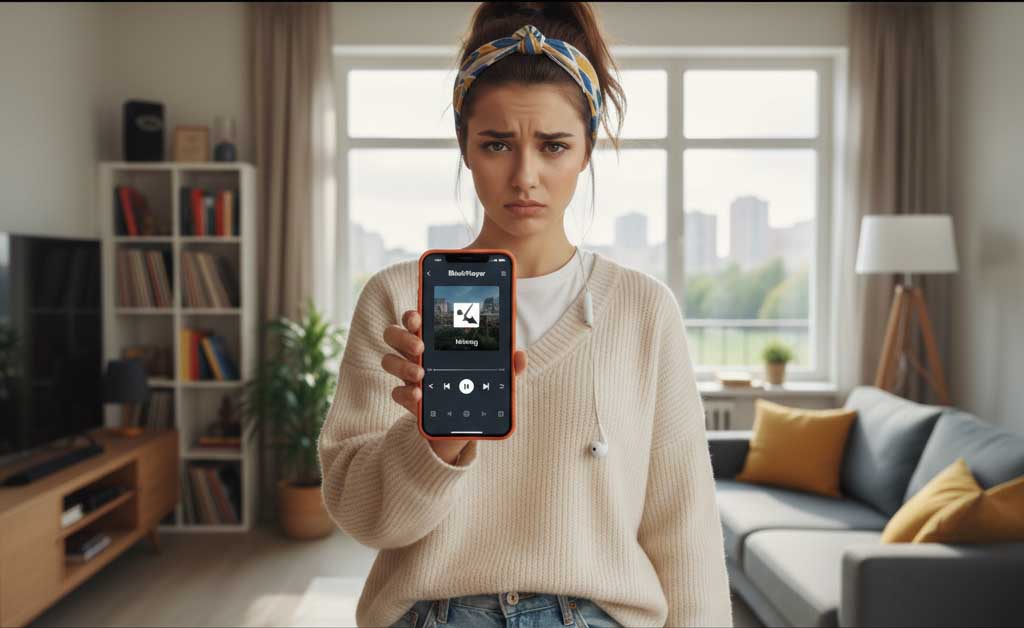
Table of Contents
- 1. 2 Reasons for BlackPlayer Album Art Disappear
- 2. 3 Simple Methods to fix BlackPlayer Missing Album Art
- 3. Bonus Tips from Poweramp & Forum Experts so do BlackPlayer
- 3.1. Always Perform a Full Rescan
- 3.2. Check for Compatibility Settings
- 3.3. Understand Android’s Scoped Storage
- 3.4. Backup Before Major Changes
- 3.5. More articles you may find useful
- 3.6. BlackPlayer Failed to Load Track Error in 2026 | How to Fix?
- 3.7. How to Fix BlackPlayer Not Detecting Music Full Guide (2026)
- 3.8. How to Show Lyrics in BlackPlayer Complete Guide 2026
- 4. Quick Troubleshooting Table
- 5. Summary : The Complete Fix Strategy
2 Reasons for BlackPlayer Album Art Disappear
Before we fix the issue, it’s essential to understand what causes the blackplayer missing album cover problem.
Before we fix the issue, it’s essential to understand what causes the blackplayer missing album cover problem.
As one Reddit user mentioned
Inconsistent or Missing Metadata
Album art display heavily depends on metadata accuracy. If your songs have inconsistent tags, like different “Album Artist” or “Album Name” values, BlackPlayer may split them into separate albums and fail to apply the correct art.
👉 The BlackPlayer FAQ advises adjusting the “Album Merge Strategy” and keeping “Album Artist” consistent across all tracks.
Cache or Media Database Corruption
Even if tags and permissions are correct, Android’s internal media database can glitch. Clearing the system’s “Media Storage” data and rebooting forces Android and BlackPlayer to rebuild your library index, often restoring all artwork correctly.
3 Simple Methods to fix BlackPlayer Missing Album Art
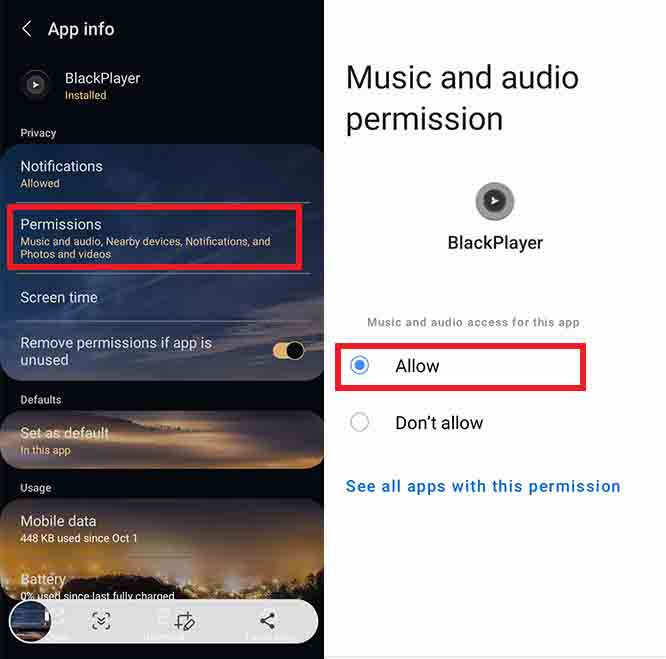
a: Reset Folder Permissions to Fix BlackPlayer Cover Art Issue: Steps to Follow
-
Go to Settings → Apps → BlackPlayer
-
Tap Permissions → Files and Media
-
Revoke, then re-grant access to your music folders
-
Open BlackPlayer → Settings → Rescan Library
This simple reset allows BlackPlayer to read and reload embedded images properly.
Why It Works
Android’s Scoped Storage system often breaks the app’s access to internal folders after updates. Once permissions are re-granted, BlackPlayer can once again load all album art not showing issues correctly.
“After resetting storage permissions and rescanning, all my missing album covers returned instantly!”
As one Reddit user mentioned
b: Correct Metadata and Force a Full Rescan: Align Album Tags
- Open BlackPlayer → long-press any album → Edit / Metadata
-
Check that Album and Album Artist fields match across all tracks
-
Under Settings → Metadata, try disabling Merge Albums
This ensures the app groups songs correctly under one album and displays a unified cover.
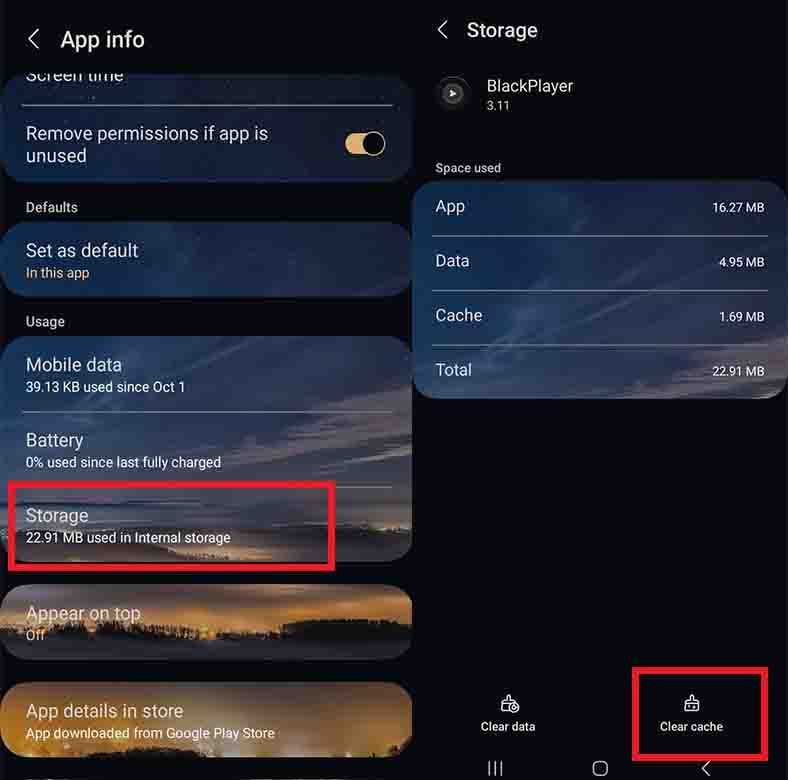
Clear Media Storage Cache
-
Open Android Settings → Apps → System Apps → Media Storage
-
Tap Clear Data / Cache
-
Reboot your device
-
Open BlackPlayer → Full Library Rescan
As mentioned in the BlackPlayer FAQ, this forces the system to rebuild its index, which fixes cases where blackplayer album art not showing even though files are fine.
c: Embed Album Art Manually (Permanent Solution): Using a Tag Editor
-
On PC, use Mp3tag or MusicBrainz Picard
-
On Android, try Automatic Tag Editor or Star Music Tag Editor
Embed a high-quality JPEG (600×600 px recommended) as Front Cover.
Save the file, transfer it back, and BlackPlayer will automatically show the embedded image.
From Within BlackPlayer
-
Long-press the track → Edit → Change Cover
-
Select from your gallery or choose “Prefer Embedded” in Settings → Metadata.
💡 This directly fixes the blackplayer missing album cover issue even if Android’s media scanner skips the image folder.
Bonus Tips from Poweramp & Forum Experts so do BlackPlayer
Although these come from Poweramp users, the insights also apply to BlackPlayer.
Always Perform a Full Rescan
After any file or tag changes, do Settings → Library → Full Rescan (not Quick Scan).
Many Poweramp and BlackPlayer users confirm this step helps new covers appear instantly.
Check for Compatibility Settings
Some music players, including BlackPlayer, have lockscreen and notification “Album Art Modes.”
If covers aren’t showing in notifications, enable “Use Embedded Album Art” or similar settings.
Understand Android’s Scoped Storage
Since Android 11, apps can only access specific directories.
After moving your music to a new folder, always re-grant access through the app’s advanced settings.
Backup Before Major Changes
If you clear Media Storage or reinstall the app, you might lose playlists or play counts.
Use BlackPlayer’s built-in Backup & Restore feature before large resets.
More articles you may find useful



Quick Troubleshooting Table
| Symptom | Likely Cause | Recommended Fix |
|---|---|---|
| All covers disappeared | Storage permissions lost | Reset folder access (Fix #1) |
| Some albums missing art | Inconsistent metadata | Edit tags and disable “Merge Albums” (Fix #2) |
| Covers missing after rescan | Cache corruption | Clear Media Storage and reboot |
| Covers show on PC but not on phone | No embedded image | Embed JPEG front cover manually (Fix #3) |
| Cover art not showing in notifications | Compatibility toggle off | Enable “Use Embedded Art” in settings |
← Scroll →
Summary : The Complete Fix Strategy
If your BlackPlayer album art missing problem persists, follow this sequence:
-
Reset Folder Permissions → simplest and most effective fix.
-
Correct Metadata and Rescan → ensures accurate tag mapping.
-
Embed Art Manually → permanent solution for stubborn tracks.
These 3 proven methods have solved the blackplayer album art not showing issue for most Android users, restoring beautiful visuals across their entire library.
BlackPlayer Album Art Missing BlackPlayer Album Art Missing BlackPlayer Album Art Missing BlackPlayer Album Art Missing
5/5 - (8 votes)


Leave A Reply